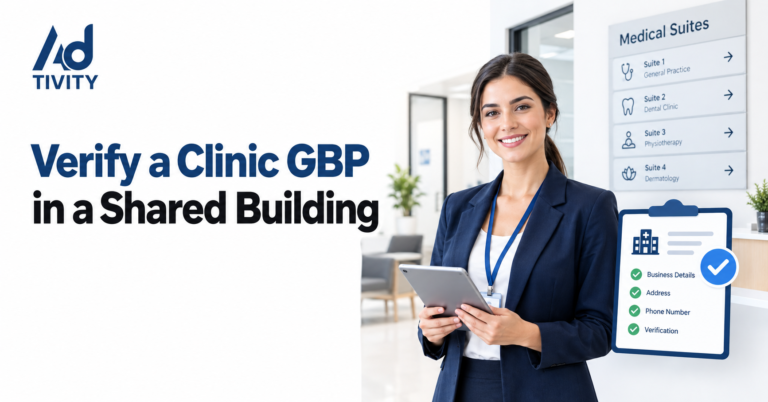
To verify a Google Business Profile for a clinic in a shared building, add your exact suite or floor number in address line 2. Then, make sure you have permanent signage and staff on site during opening hours. Finally, use the verification method Google offers, often a video showing the building, your suite door, and proof that you run the clinic.
Many clinics share a building with other businesses. However, Google needs proof that your clinic really works from that address. Shared buildings often cause rejections, duplicate profiles and long delays. This guide shows you how to prepare and verify your clinic profile, step by step.
What Is Google Business Profile Verification?
Google Business Profile verification is how Google checks that your business is real and that you manage it. For a clinic in a shared building, Google also checks that your clinic has its own space at that address. Once you verify, your clinic can appear on Google Maps and in local search results.
Why Do Shared Buildings Make Verification Harder?
A shared building can hold many businesses at one address. As a result, Google has to work out which space belongs to your clinic. Problems often start when:
- Another business already has a profile at the same street address.
- Your suite number is missing or does not match your signage.
- You do not have a sign on your door or in the building directory.
- Your clinic rents a room only on certain days.
- The address is a virtual office or a mailbox, which Google does not accept.
So, good preparation matters more than anything else.
Is Your Clinic Eligible?
Before you start, check that your clinic meets Google’s basic rules. Your clinic should:
- Have a real, physical space: Patients must be able to visit you at that address.
- Have permanent signage: Your clinic name should appear on your door or in the building.
- Have staff on site: Your team should be there during your listed opening hours.
- Use its real name: Your profile name must match your signage, licence and website.
In addition, if you work in a coworking or shared medical space, you must still have clear signage and see patients there during your hours.
Clinic Profile or Practitioner Profile?
Healthcare businesses have one extra choice to make. The table below explains the main options:
| Situation | What Google allows | Name format |
| A clinic with several doctors | One profile for the clinic, plus an optional profile for each public-facing doctor | Clinic name only |
| A clinic with one doctor | One shared profile for the clinic and doctor | Brand: Doctor Name |
| A department with its own entrance and hours | Its own profile with a different name | Department name |
| Support staff | No profile | Not allowed |
Also, each practitioner should have only one profile, not one for every specialty.
Step-by-Step: How to Verify Your Clinic in a Shared Building
Follow these steps in order. In our experience at Ad-tivity, most rejections come from steps one to three.
Step 1: Get Your Address Exactly Right
First, enter the building’s street address in address line 1. Next, add your suite, unit or floor number in address line 2. Use the same format everywhere, including your website, licence and directories. Never invent a suite number.
Step 2: Put Up Permanent Signage
Then, place a fixed sign with your clinic name on your door. Also, ask the building manager to add you to the lobby directory or tenant board. Make sure the name matches your profile exactly.
Step 3: Prepare Your Proof Documents
Next, keep your key documents ready. In the UAE, these usually include your trade licence, your health authority licence from DHA, DOH or MOHAP, and your tenancy contract, such as Ejari in Dubai. Also, keep a recent utility bill in the clinic name. Google may ask for these later.
Step 4: Set Up Your Profile Correctly
Now, choose one main category that describes your clinic, such as Dental Clinic or Medical Clinic. Do not choose categories that belong to other businesses in the building. Also, add a local phone number that rings at your clinic, and check that your map pin sits on your building.
Step 5: Choose Your Verification Method
Google decides which methods you can use. For example, you may see a video recording, a live video call, a phone or text code, or an email. Video is the most common method for clinics in shared buildings.
Step 6: Record One Unbroken Video
If Google asks for a video, record it in one continuous take, without cuts. Then, show these things in order:
- The outside of the building, a street sign or nearby businesses.
- The building entrance and the lobby directory with your clinic name.
- The lift or corridor, and your suite number on the door.
- Your clinic sign, then your reception area.
- Your treatment rooms and medical equipment.
- Proof that you manage the clinic, such as unlocking the door or opening a staff-only room.
Step 7: Wait, and Do Not Edit
After you submit, Google usually reviews it within five working days. During this time, do not change your name, address or category. Otherwise, you may restart the process.
Common Reasons Google Rejects Clinic Verification
If Google rejects your request, the cause is often simple to fix. Look for these common problems:
- No signage in the video: Film your door sign and the building directory clearly.
- A cut in the video: Record again in one unbroken take.
- No suite shown: Show the suite number on your door.
- Name mismatch: Match your profile name to your sign and licence.
- Duplicate profile: Search Google Maps for old listings at your address, then claim or remove them.
- Virtual office: Google does not accept virtual offices or mailboxes.
Then, select “Review issues” in your profile and follow the steps. If Google suspends your profile, use the official appeal form and attach your documents.
What Should You Do After Verification?
Verification is only the start. Next, keep your profile strong and accurate:
- Use the same name, address and phone number on your website and in UAE directories.
- Add MedicalClinic or Dentist schema markup to your website, with your suite number.
- Upload real photos of your sign, reception and treatment rooms.
- Ask patients for honest reviews, and reply to every review.
- Check your profile each month for edits by other users.
Key Benefits of a Verified Clinic Profile
- Your clinic can appear on Google Maps and in local results.
- Patients can call, book or get directions in one tap.
- You can reply to reviews and post updates.
- You protect your listing from wrong edits.
- You build trust with patients before their first visit.
FAQs
Can two clinics have a Google Business Profile at the same address?
Yes. Each clinic needs its own suite number, name, phone number and signage. As a result, Google can tell the clinics apart.
Do I need a suite number to verify my clinic?
If your building uses suite or floor numbers, yes. Add it to address line 2, and make sure it matches your door sign.
Can I verify a clinic in a coworking or shared medical space?
Yes, if you have permanent signage and staff on site during your listed hours. However, a virtual office does not qualify.
What if Google does not offer video verification?
Google chooses the methods for each profile. So, use the method it offers, such as a phone code, email or live video call.
How long does Google Business Profile verification take?
Google usually reviews a video within five working days. Sometimes, however, it can take longer.
Should each doctor have their own profile?
Only public-facing doctors with their own patients should. Also, their profile name should include only their own name.
Can I list my clinic if I only rent a room on some days?
This is risky. Google expects staff on site during your listed hours, and you also need permanent signage at the address.
Get Your Clinic Verified With Ad-tivity
Verifying a clinic in a shared building can feel slow and confusing. However, the right preparation makes a big difference. At Ad-tivity, our local SEO team helps clinics set up, verify and fix Google Business Profiles, from suite address checks to video planning and appeals. As a result, you can get your clinic on Google Maps faster. So, if your profile keeps getting rejected, or you are opening a new clinic, contact Ad-tivity today for a Google Business Profile review.
Also read: Track Google Ads Calls and WhatsApp Clicks Easily