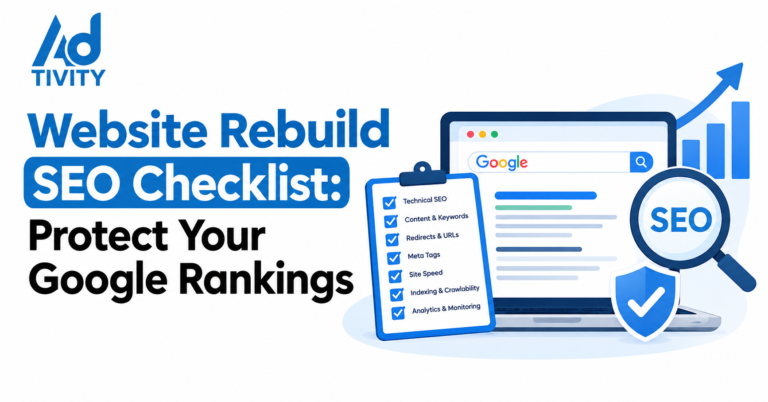
You can rebuild a website without losing rankings if you treat it as an SEO project as well as a design project. Decide whether you really need a full rebuild, give clear SEO tasks to the business, the developer and the SEO lead, and keep every valuable URL, page and enquiry path working. Most ranking losses come from missed redirects, thinner content and broken tracking, and you can prevent all three.
A new website is a big investment. However, many businesses only discover the SEO risks after launch, when enquiries fall. This guide takes a practical approach. It helps you decide how big your rebuild should be, who should do what and how to test the parts that bring in customers.
What Does a Website Rebuild Mean for SEO?
A website rebuild replaces your site’s design, structure or platform. For SEO, it means Google has to recrawl and reassess your pages. In short, every change to URLs, content or code can affect how your pages rank.
Do You Need a Full Rebuild?
Not every tired website needs a rebuild. Often, a smaller change brings the same benefit with far less risk.
| Option | What Changes | SEO Risk |
| Refresh | Colours, images, fonts and page layouts | Low |
| Partial rebuild | Some templates, sections or new pages | Medium |
| Full rebuild | Design, structure and often URLs | Medium to high |
| Platform move | The system that runs your site | High |
| Domain change | Your website address | Highest |
So choose a full rebuild only when you need it. For example, it makes sense when your site does not work on phones, your platform cannot be updated or your business has changed direction. Otherwise, a refresh may be enough.
Common Myths About Redesigns and SEO
- Myth: Google punishes new websites. In fact, Google reacts to what changes, not to the redesign itself.
- Myth: redirecting old pages to the homepage is fine. In fact, Google often treats these as soft 404s, so the old page’s value is lost.
- Myth: rankings always recover on their own. In fact, losses caused by missing pages or redirects usually stay until you fix them.
- Myth: Google tracks your analytics bounce rate. In fact, Google does not use your analytics bounce rate as a ranking factor, though a poor experience still costs you customers.
Who Does What: A Shared SEO Checklist
Most rebuilds fail at the handover between teams. Therefore, give each person clear tasks:
| Who | Before Launch | After Launch |
| Business owner | Confirm account ownership and priority pages | Report drops in calls or enquiries quickly |
| SEO lead | Benchmark, map URLs and check content | Monitor rankings, indexing and errors |
| Developer | Build redirects and protect staging | Fix broken pages and speed issues |
| Designer | Keep key content and headings in layouts | Review pages that lose engagement |
| Content lead | Move and improve ranking content | Update weak pages based on data |
Secure Your Accounts and Access First
Before any work starts, check who controls your digital assets. Many businesses lose time, or even data, because a previous agency holds the keys. So confirm you own or can access:
- Your domain registration and DNS settings.
- Your hosting account.
- Google Analytics 4 and Google Tag Manager.
- Google Search Console.
- Your Google Business Profile.
- Any booking, payment or CRM tools linked to the site.
Also, keep a full backup of the old website and its database. That way, you can restore content if anything goes missing.
Protect What Already Ranks
Next, find your valuable pages. Export your top pages from Search Console and Google Analytics 4. Then note which pages bring enquiries and which pages have links from other websites. These pages need the most care.
Keep their URLs if you can. If a URL must change, add a permanent 301 redirect to the closest new page. Also, keep the main content, headings and FAQs. Many new designs cut text to look minimal. However, those words often explain why the page ranked in the first place.
Moving to a New Platform
Platform moves need extra care. For example, moving from one website builder to another often changes URL patterns automatically. So check how the new platform creates URLs for pages, blog posts and images. Then plan redirects for every pattern, not just the main pages. In addition, check that the new platform lets you edit titles, meta descriptions, canonicals and redirects yourself.
Bilingual Sites: Check Both Languages
Many UAE websites run in Arabic and English. However, teams often test only the English version. So check that Arabic pages load correctly from right to left, keep their content and keep their hreflang tags. Also, make sure each language keeps its own URL and redirects.
Test Every Customer Journey
Rankings only matter if visitors can still contact you. Therefore, test every path to an enquiry on real phones, not just on a desktop:
- Contact forms. Submit each form and confirm the message arrives.
- Calls. Tap each phone number and check it dials correctly.
- WhatsApp buttons. Check each button opens the right chat with the right message.
- Bookings and payments. Complete a test booking or purchase from start to finish.
- Tracking. Confirm GA4 records each enquiry with the same event names as before.
- Thank-you pages. Make sure they work and stay out of search results.
Timing Your Launch in the UAE
Timing affects risk. For example, avoid launching just before Ramadan campaigns, White Friday or your busiest season. Instead, choose a quieter period, such as early in the week and outside major sales. Also, make sure your developer is available for the first few days after launch. That way, they can fix problems before they affect many customers. Finally, tell your team about the launch date, so front-desk staff can report any drop in calls or messages straight away.
Launch Day: A Short Checklist
- Remove staging passwords and any noindex tags.
- Check robots.txt allows crawling.
- Test every redirect from your map, not just a sample.
- Submit the new XML sitemap in Search Console.
- Update links on your Google Business Profile, adverts and social profiles.
- Crawl the live site to find broken links and missing titles.
What to Watch After Launch
Some movement is normal for a few weeks while Google recrawls your site. However, watch these signs closely:
- Rising not-found errors in the Search Console page indexing report.
- Important pages missing from search results.
- Falling enquiries, even if traffic looks stable.
- Slower page speeds on mobile.
If traffic stays well below your benchmark after about six weeks, act quickly. First, recheck redirects. Then compare old and new content on the pages that lost the most.
Key Benefits of a Planned Rebuild
- Stable rankings and enquiries through launch.
- Clear responsibilities and fewer missed tasks.
- Full control of your accounts and data.
- Working enquiry paths in every language.
- A stronger base for future SEO growth.
Frequently Asked Questions
Should I refresh or rebuild my website?
Refresh if your site works well but looks dated. However, rebuild if it fails on mobile, runs on an outdated platform or no longer fits your business.
Does changing website platform affect SEO?
Yes, because platforms often change URLs and technical settings. So plan redirects and check SEO controls before you move.
Will a new website lose its Google rankings?
Not if you keep valuable pages, redirect changed URLs and test properly. Most losses come from avoidable mistakes.
Who should manage SEO during a rebuild?
Ideally, an SEO specialist works with the developer from the start. Also, the business owner should approve priority pages.
How do I keep my Arabic pages ranking after a rebuild?
Keep their URLs and content, check right-to-left layouts and keep hreflang tags in place.
What should I do if traffic drops after launch?
Check redirects and not-found errors first. Then compare old and new content on the pages that dropped.
Do I need to own my domain and analytics accounts?
Yes. Owning them protects your website and data if you change agency or developer.
Final Thoughts
A website rebuild should help your business grow, not set it back. So start by asking whether you need a full rebuild at all. Then secure your accounts, protect what already ranks and give every team clear tasks. Finally, test every way customers contact you. With this approach, your new site can keep its rankings and win more enquiries.
Rebuild With Confidence with Ad-tivity
Ad-tivity helps UAE businesses plan website rebuilds that protect rankings and enquiries. We audit your current site, check account ownership, map every URL and test your forms, calls and WhatsApp paths before launch. First, we help you decide whether you need a refresh or a full rebuild. Then, we work with your developer to launch safely. Book your free website rebuild review with Ad-tivity today.
Also read : https://ad-tivity.com/healthcare-content-calendar-uae/