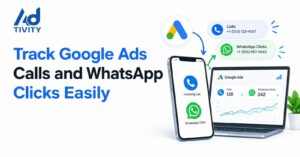
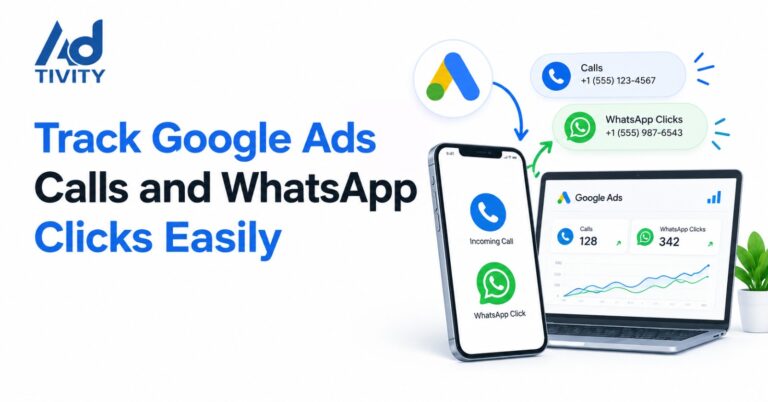
You can track phone calls from Google Ads with call conversion actions, such as Calls from ads and Calls to a phone number on your website. To track WhatsApp clicks, you set up a Google Tag Manager trigger for wa.me links. Then, you fire a Google Ads conversion tag. For the best data, you also import qualified leads back into Google Ads.
Many people now call or message a business right after they click an ad. However, Google Ads does not count these leads on its own. You need to set it up first. This guide shows you how to track calls and WhatsApp clicks, step by step. As a result, you will see which ads bring real leads.
What Is Call and WhatsApp Conversion Tracking?
Call and WhatsApp conversion tracking tells Google Ads when someone contacts you after they click an ad. It links each call or WhatsApp click to the right campaign, ad group and keyword. In short, it shows you which ads actually make your phone ring.
Why Does Call and WhatsApp Tracking Matter?
Without tracking, Google Ads only sees clicks. So, it cannot tell a curious visitor from a real customer. As a result, it may push your budget towards the wrong ads.
On the other hand, good tracking gives Google the right signals. Here is why that matters:
- You see which keywords bring real leads, not just traffic.
- You can work out your true cost per lead.
- Smart Bidding, such as Target CPA and Performance Max, learns from your conversion data.
- You stop paying for ads that never bring a call or message.
How Does Google Ads Track Phone Calls?
Google Ads gives you five main ways to track calls. Each one measures something slightly different. So, it helps to pick the right one for your goal.
| Method | What it tracks | Best for |
| Calls from ads | Calls made straight from call ads, call assets or location assets | Mobile users who tap “Call” in the ad |
| Calls to a number on your website | Calls to a Google forwarding number that shows on your site after an ad click | People who read your website first |
| Clicks on a number on your mobile website | Taps on a phone number link (tel:) on your site | Quick setup; it counts taps, not real calls |
| Clicks on call ads and assets | Clicks that Google estimates led to a real call, with no forwarding number | Places where forwarding numbers do not work |
| Imported call conversions | Calls you track in a CRM or call tracking tool | Counting only qualified or booked calls |
Keep two points in mind. First, calls from ads, website calls and imported calls need Google forwarding numbers. However, these numbers do not work in every country. So, check Google’s country list before you choose a method. Second, Google counts a call as a conversion only when it lasts longer than your minimum call length. By default, this is 60 seconds.
How Does WhatsApp Click Tracking Work?
WhatsApp is a separate app. Therefore, Google cannot see what happens inside a chat. Instead, you track the click on your WhatsApp button, just before the visitor leaves your website.
Most WhatsApp buttons use a link that starts with wa.me or api.whatsapp.com. Google Tag Manager can spot a click on these links. Then, it fires your Google Ads conversion tag.
However, a click is not the same as a lead. Some people tap the button and never send a message. That is why the best setups also import qualified WhatsApp leads later on.
Step-by-Step: How to Set Up Call and WhatsApp Tracking
Follow these steps in order. In our experience at Ad-tivity, most tracking problems come from a skipped step.
Step 1: Create Your Conversion Actions
In Google Ads, go to Goals, then Conversions, then Summary. Next, click New conversion action. Create one action for phone calls and a separate one for WhatsApp clicks. Also, set Count to One, so repeat taps from one person count once.
Step 2: Turn On Call Reporting and Add Call Assets
First, switch on call reporting in your account settings. Then, add a call asset with your business number to your campaigns. This lets Google track calls straight from your ads.
Step 3: Add the Website Call Snippet
For calls from your website, add the Google tag and the website call snippet to your site. As a result, Google swaps your number for a forwarding number, but only for visitors who came from an ad.
Step 4: Turn On Click Variables in Google Tag Manager
Open Variables, then click Configure. Next, tick every box under Clicks, such as Click URL and Click Element. Now, Tag Manager can read what a visitor clicked.
Step 5: Build Your Click Trigger
Create a new Just Links trigger and choose Some Link Clicks. Then, set the rule to Click URL contains wa.me. Add a second rule with OR for api.whatsapp.com. For mobile phone taps, build a similar trigger for tel: links.
Tip: some buttons are not real links. In that case, use an All Elements trigger instead.
Step 6: Create the Conversion Tags
Add a Google Ads Conversion Tracking tag. Then, paste the Conversion ID and Conversion Label from Step 1. Link the tag to your trigger. Finally, add a Conversion Linker tag that fires on all pages.
Step 7: Test, Then Publish
Click Preview and open your website. Next, tap your call and WhatsApp buttons. In Tag Assistant, your tag should show under Tags Fired. If it does, click Submit to publish.
You may also see a Content Security Policy (CSP) error on the WhatsApp page. Don’t worry. This is normal, because Tag Manager cannot run on WhatsApp’s own site.
Step 8: Import Qualified Leads
This step turns clicks into real lead data. First, save the Google Click ID (GCLID) when a visitor lands on your site. One simple way is to add a short reference code to your pre-filled WhatsApp message. Then, log real enquiries in your CRM. Finally, upload them to Google Ads as offline conversions.
Which Settings Should You Use?
Good settings matter as much as good tags. So, use these as a starting point:
- Count: Choose One for calls and WhatsApp clicks, not Every.
- Primary goals: Make real calls and qualified leads your primary conversions.
- Secondary goals: Start WhatsApp clicks and tel: taps as secondary, so they do not mislead bidding.
- Call length: Set a minimum that matches a real enquiry, such as 60 to 90 seconds.
- Values: Give each conversion a value, so Google knows which leads matter most.
- Consent: Use Consent Mode v2 if you serve UK or EU users.
Key Benefits of Proper Tracking
- You see the full picture: calls, WhatsApp clicks and forms in one place.
- Your bidding learns from real leads, so your cost per lead often drops.
- You can compare channels and spend more where leads convert.
- You can report clear results to your team or clients.
Common Mistakes to Avoid
- Counting every tap as a lead. A tap only shows interest. So, confirm real leads with imports.
- Tracking the WhatsApp page. Instead, track the click on your website before it opens WhatsApp.
- Forgetting the Conversion Linker. Without it, Google may lose the link between the ad and the lead.
- Never testing. Always check Tag Assistant before you publish.
- Leaving old actions live. Duplicate actions can double-count your leads.
FAQs
Does Google Ads track WhatsApp clicks automatically?
No. Google Ads does not count WhatsApp clicks on your website by default. You need to set up a Google Tag Manager trigger and a conversion tag.
Can I track messages inside WhatsApp?
No. WhatsApp is a separate app, so Google cannot see your chats. However, you can import qualified WhatsApp leads as offline conversions.
Do I need Google Tag Manager?
Not always. You can add code to your site by hand. However, Tag Manager makes setup, testing and changes much easier.
What is a good minimum call length?
Google uses 60 seconds by default. Most businesses keep it between 60 and 90 seconds, so short or wrong-number calls do not count.
Do Google forwarding numbers work in every country?
No. They work in selected countries only. So, check Google’s list first. If they do not work in your country, use tel: click tracking or imported calls instead.
Should WhatsApp clicks be a primary conversion?
Usually, start them as secondary. Then, once you import qualified WhatsApp leads, make those leads your primary goal.
Can I track calls and WhatsApp clicks in GA4?
Yes. You can mark these clicks as key events in Google Analytics 4. Then, you can import them into Google Ads.
Get Your Call and WhatsApp Tracking Set Up Right with Ad-tivity
Tracking calls and WhatsApp clicks sounds simple. However, one wrong trigger can mislead your whole budget. At Ad-tivity, our Google Ads team sets up, tests and checks your tracking from start to finish. As a result, you see which ads bring real calls and messages. So, if you want clean data and better leads, get in touch with Ad-tivity today. We will review your current setup and show you what to fix first.
Also read :Best Social Media Platform for UAE Clinics